
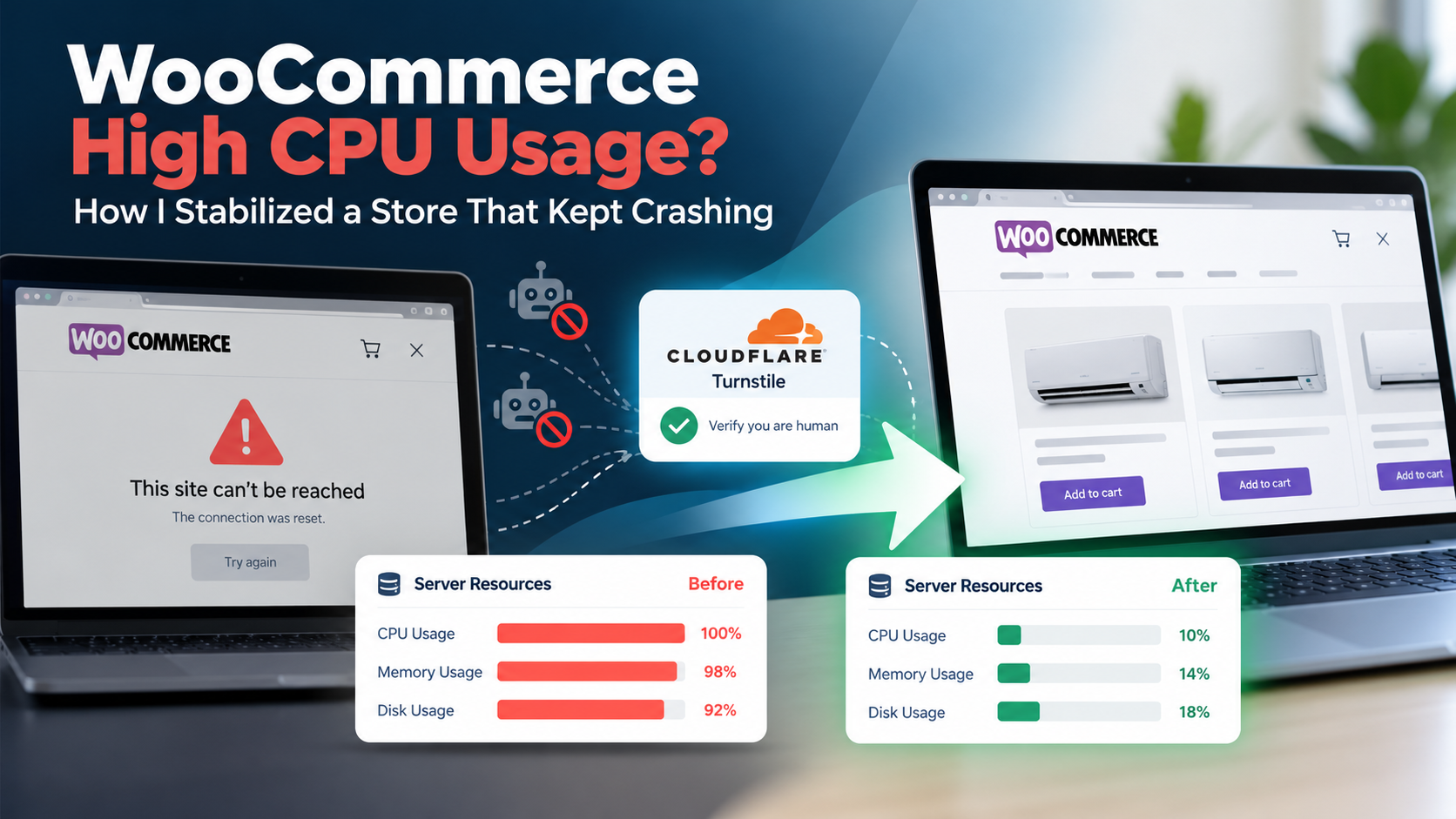
If your WooCommerce store keeps slowing down or crashing, upgrading your hosting might seem like the obvious solution.
But what if your server isn’t actually the problem?
I recently worked on a WooCommerce store where server resource usage was frequently reaching 100%. The website became unstable and regularly unavailable.
For an online store, that’s not simply a technical problem.
A store that isn’t available can’t take orders.
Instead of immediately recommending a more expensive server, I investigated what was actually consuming those resources.
The result was a much more effective solution: normal server resource usage dropped from frequently approaching 100% to typically below 20%, often staying around 8–10%.
And we achieved that without simply throwing more server resources at the problem.
The Business Problem: An Online Store That Couldn’t Stay Online
The symptoms were serious.
The store would consume nearly all available server resources, become extremely slow, and sometimes stop responding completely.
That creates several business risks at once:
- Customers can’t reliably browse or purchase products.
- Advertising traffic can be wasted on an unavailable website.
- Customers may lose trust and buy elsewhere.
- The business becomes afraid of every traffic spike.
- Hosting upgrades increase operating costs without guaranteeing a solution.
Moving to a bigger server was certainly an option.
But before spending more money, there was a more important question:
Why was the existing server reaching its limits?
Finding the Real Cause
I investigated the problem across the website and its infrastructure rather than treating it as a WordPress issue alone.
The key finding was automated traffic repeatedly triggering resource-intensive WooCommerce activity.
WooCommerce stores naturally perform more server-side work than simple websites. Product searches, filters, carts, customer sessions, checkout processes, and other store functions often need to be processed dynamically.
That makes them useful targets for aggressive bots and crawlers.
In this case, a significant amount of server capacity was being spent processing requests that weren’t generating business value.
So buying more server resources wouldn’t address the underlying problem.
It could simply mean paying more to process unwanted traffic.
The Solution: Protect the Store Without Blocking Real Customers
I implemented a protection layer using Cloudflare Turnstile to identify legitimate visitors before allowing suspicious traffic to repeatedly trigger expensive store operations.
But there was another priority:
Security couldn’t come at the expense of sales.
An aggressive security system that constantly interrupts genuine shoppers might protect the server while damaging conversion rates.
So the objective wasn’t simply to block as much traffic as possible.
It was to protect expensive WooCommerce operations while keeping the shopping experience smooth for legitimate customers.
Once a genuine visitor was verified, they could continue using the store normally.
This reduced unnecessary server processing while keeping the store accessible to the people who actually mattered: customers.
The Result: From Near 100% Resource Usage to Typically Below 20%
Before the changes, server resources were frequently at or near 100%, and the store repeatedly became slow or unavailable.
After the changes, normal resource usage typically remained below 20%, often around 8–10%. The screenshot below shows the store running at 10% CPU usage during normal operation.
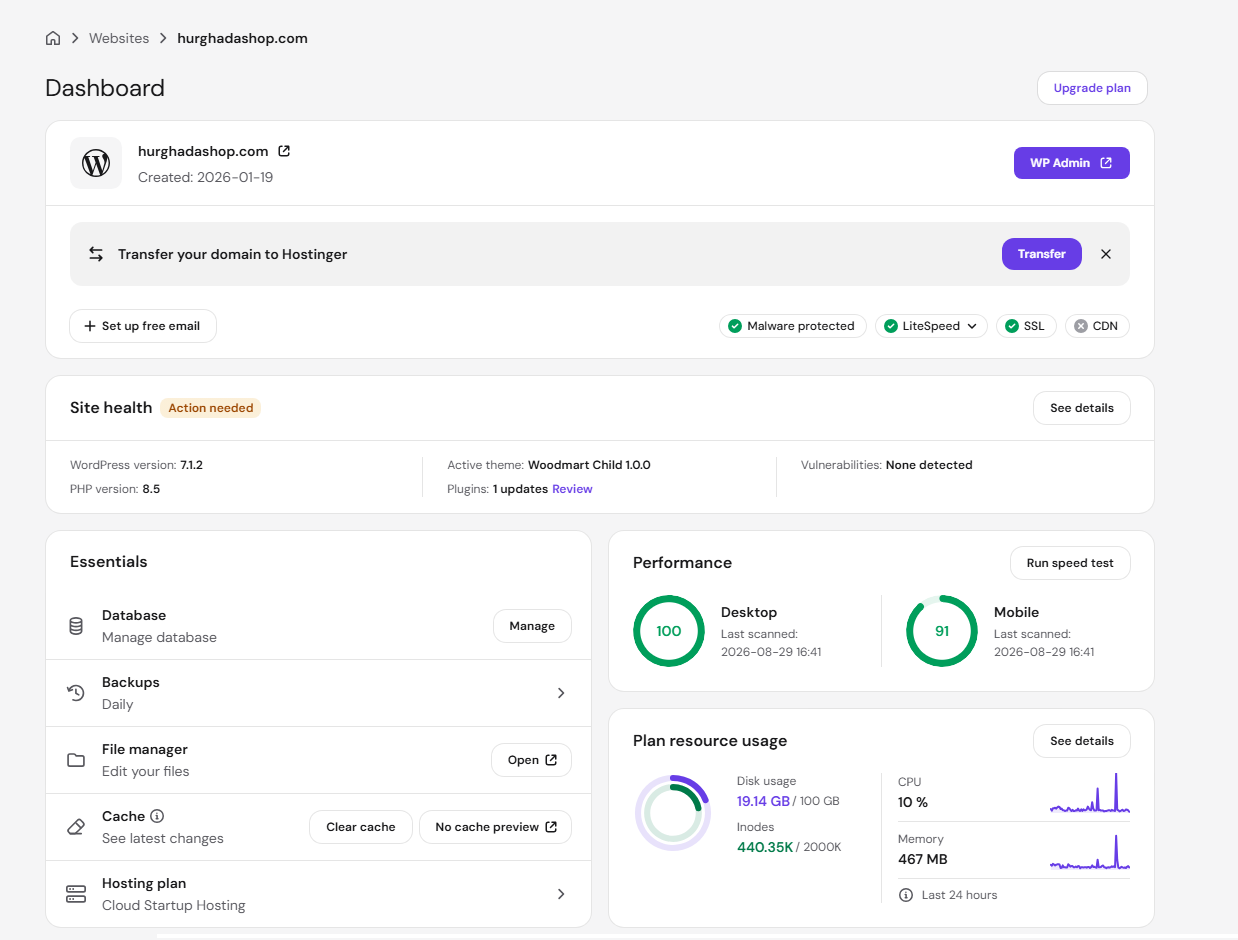
This is a very different operating state from the repeated resource exhaustion the store was experiencing before the protection was implemented.
There were occasional peaks around 50%, but those became temporary spikes instead of the server’s normal operating state.
Most importantly, the website became stable and continued receiving orders.
We didn’t solve the problem by blindly upgrading the hosting plan.
We solved it by identifying what was consuming the resources and addressing the actual cause.
Why a Bigger Server Isn’t Always the Answer
Sometimes a growing WooCommerce business genuinely needs more powerful infrastructure.
That’s perfectly normal.
But high CPU usage is a symptom, not a diagnosis.
A WooCommerce store can consume excessive resources because of:
- Automated or abusive traffic
- Poorly configured caching
- Plugin problems
- Database issues
- Background processes
- Security incidents
- Infrastructure configuration
- Genuine growth in customer traffic
Those problems require very different solutions.
That’s why my approach to WooCommerce performance starts with diagnosis before upgrades.
If your store genuinely needs more infrastructure, we scale it.
If the problem is unnecessary traffic, we stop it.
If WordPress or WooCommerce is causing the bottleneck, we investigate there.
The goal isn’t a better technical score.
The goal is a store that stays fast, stable, secure, and ready to take orders.
WooCommerce Performance Is a Business Issue
For an eCommerce business, performance shouldn’t end with a PageSpeed score.
A successful WooCommerce store needs an entire stack that works together:
Hosting → CDN → Security → Caching → WordPress → WooCommerce → Database
A problem anywhere in that chain can eventually appear to the customer as the same thing:
a slow or unavailable store.
That’s why I work on WooCommerce performance as a complete system rather than treating every problem with another optimization plugin.
Is Your WooCommerce Store Slow, Unstable, or Constantly Hitting Server Limits?
Don’t assume you automatically need a bigger hosting plan.
First, find out what’s actually causing the problem.
I help businesses troubleshoot and optimize WooCommerce stores across performance, security, caching, CDN, WordPress, WooCommerce, and hosting infrastructure.
The objective is simple:
Keep the store available, keep the buying experience fast, and make sure your infrastructure supports the business instead of holding it back.
If your WooCommerce store is suffering from recurring downtime, unexplained high CPU usage, or server resource exhaustion, get in touch and let’s find the real bottleneck.